The Tools Nobody Had to UseInternal AI Tools
Turned hours of manual deck and chart building into minutes, and earned real, opt-in adoption across the sales team.
- Role
- Designer-Builder (problem-finding, design, development, deployment)
- Team
- Abhilash, Asha, Julie, Casey, Alok, Mimi
- Timeline
- 2026
- Platform
- Claude skills, web app, PPTX
- 20+
- Client decks generated
- 5-6
- Active users, no mandate
- Hours to min
- Deck turnaround
I kept watching my teammates do the same slow, soul-crushing tasks by hand, so I built four small tools that did them in minutes. People started using them because they wanted to, not because anyone told them to.
01 · Context & problem
The same chores, over and over
Two jobs on the sales side were quietly eating people alive. Every time a new prospect showed up, someone built them a sales deck by hand. No two decks looked alike, and a single one could swallow an afternoon. And every time a client's team structure changed, someone rebuilt the org chart and reporting lines from scratch in a design tool, like repainting a fence that keeps growing new posts.
I treated these as product problems, not favors. If two people felt this pain, more did. The bottleneck was the process, not anyone's preference.

02 · Role & process
Find the friction, build the fix, get out of the way
I spotted the recurring pain, designed the fix, built it, shipped it with a short walkthrough video, and then watched people adopt it on their own.
Found the friction
Designed the interaction
Built the tools
Recorded walkthrough videos
Handed it over
03 · Key decisions
Three calls that drove adoption
Designed for self-service, not just function
What. Every tool shipped with a walkthrough video and a copy-paste guide, so a non-designer could use it without me hovering nearby.
Why. If a tool needs a training session, only the people forced to use it ever will. If it just works by following a two-minute video, using it becomes a choice, and a choice is the only honest proof that the thing is actually useful.
Tradeoff. Making the video and the guide takes real time. Shipping the bare tool is faster.
Result. Casey followed the video on May 13, 2026 and it just worked, no meeting needed. Alok got the Chart Builder video on May 27. Mimi asked for access unprompted on May 28 and started requesting features, which is the clearest sign yet that the pain was real.
Met people where they already were
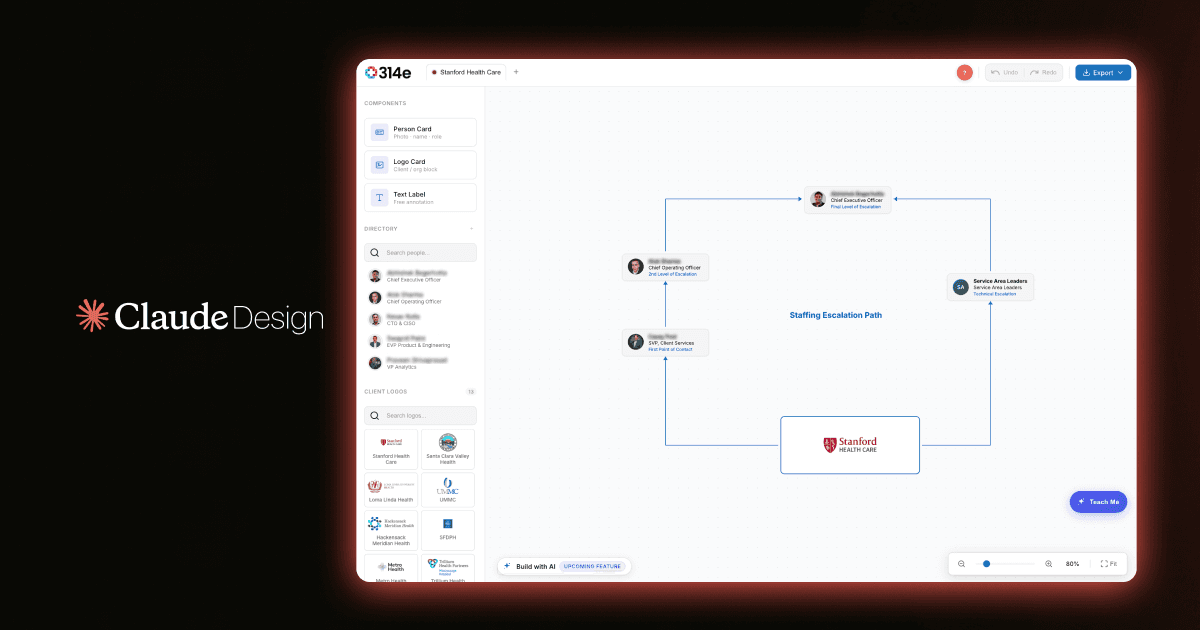
What. The Chart Builder exports as PNG or JSON and can rebuild a chart from a screenshot, so nobody has to bounce between five apps to get one diagram.
Why. The old routine was design tool to spreadsheet to design tool to slides. Every hop was an excuse to just do it manually instead. Remove the hops, remove the excuse.
Tradeoff. Screenshot-to-chart conversion, export formats, and autosave are more work to build.
Result. Mimi immediately asked whether the output text could be more readable for RFP responses, which means she is using it for real work, not kicking the tires.
Designed around a trust objection
What. For the call summarizer, I built the "can I really trust AI with a client call?" worry straight into the design: it labels who is from 314e and who is the client, tracks who asked what, and attributes every finding.
Why. One stakeholder doubted AI could read a client's tone from a transcript. Rather than argue, I made the tool honest about exactly what it knows and what it does not.
Tradeoff. More logic, and more explaining inside the output.
Result. The concern got addressed in the design instead of dismissed, and adoption followed because the tool never oversold itself.
04 · Solution & artifacts
Four tools, shipped
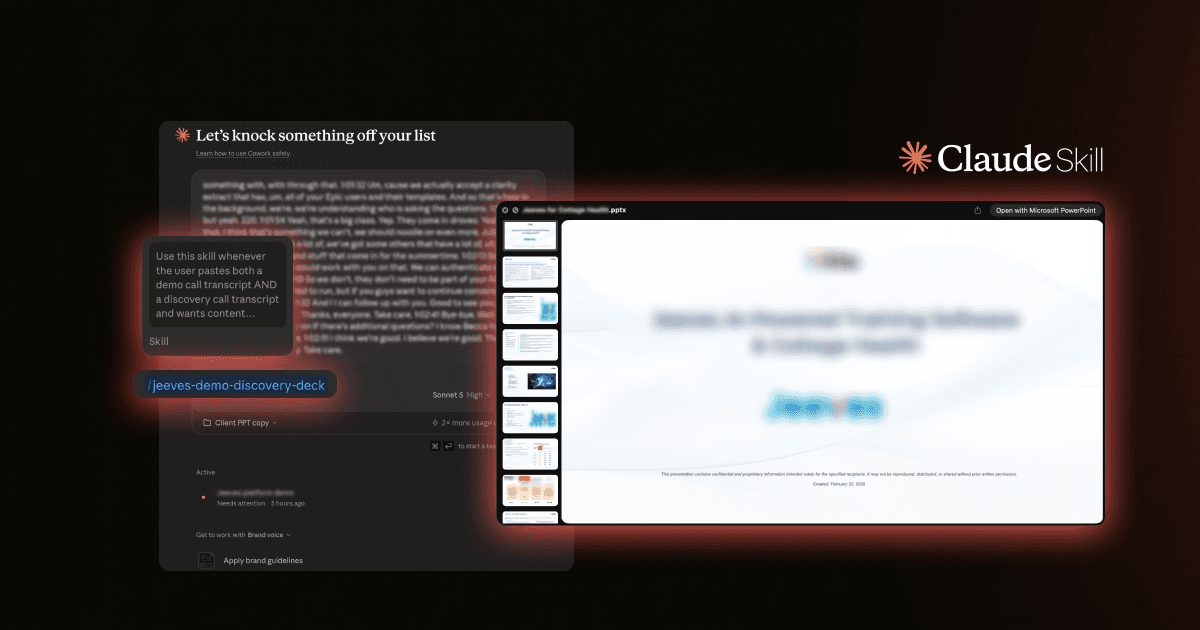
Deck-automation skill. Paste a sales-call transcript (Loom, Zoom, Teams) and it fills the Current State, Requirements, and Solution slides automatically. Shipped March 31, 2026.
Call summarizer. Reads a transcript, tells the 314e voices apart from the client's, pulls out the client's real questions, and writes a tidy executive briefing. Shipped April 9, 2026.
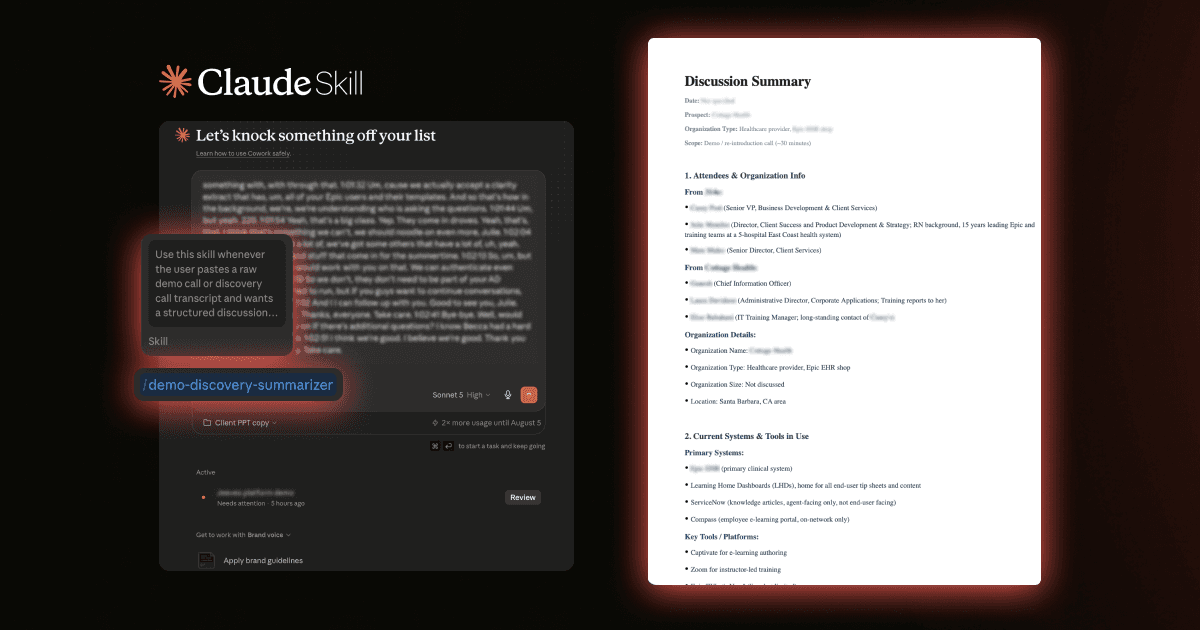
Chart Builder web app. Drag people into a hierarchy, watch reporting lines route themselves, or paste a screenshot and let it rebuild the chart. Exports cleanly, saves as you go, and never opens a design tool. Shipped May 26, 2026.
Smart Slides app. A companion for generating and polishing sales decks. Built March 20, 2026.
05 · Impact
Real adoption, zero mandate
- 20+
- Client decks generated
- 5-6
- Active users, opt-in
- Hours to min
- Deck turnaround
Named prospects who received decks built this way include Forest Health, Confluence Health, Eisenhower Health, Prisma Health, and Stanford Children's. The metric I care about most is not in the table: colleagues who were never told to use these tools chose to anyway. That is the real proof the pain was worth solving.
06 · Reflection
What I'd carry forward
This is the work I am proudest of. I noticed a recurring chore, designed something to kill it, built it, and earned genuine adoption. That is product thinking (problem, audience, distribution, iteration) wearing the clothes of scrappy building.
Next time I would test with two or three people before shipping rather than polishing in private. The big lesson: people adopt a tool when it is easier than the old way, not when they are ordered to.